
Your drive diary, on the world map
A trip tracker for iPhone that records every drive by itself. Spin the globe — those are real routes, recorded by real people.
Want your trip on the globe? Message @onezee123Missing the bigger picture
When your drives are scattered across maps and photos, finding that one road takes more effort than it should.
Photos miss the journey
You scroll your camera roll thinking 'where was that road?' Photos capture stops, not the drive itself.
Made for everyday driving
A commute, a weekend away, a spontaneous detour. Keep ordinary drives together with the journeys you want to remember.
How it works
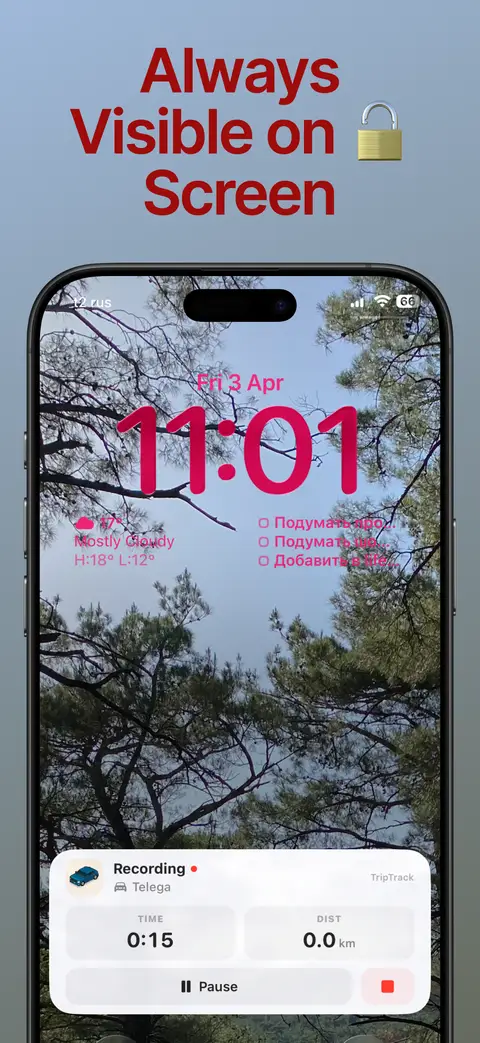
Tap start
One tap before you drive. Or let it start automatically.
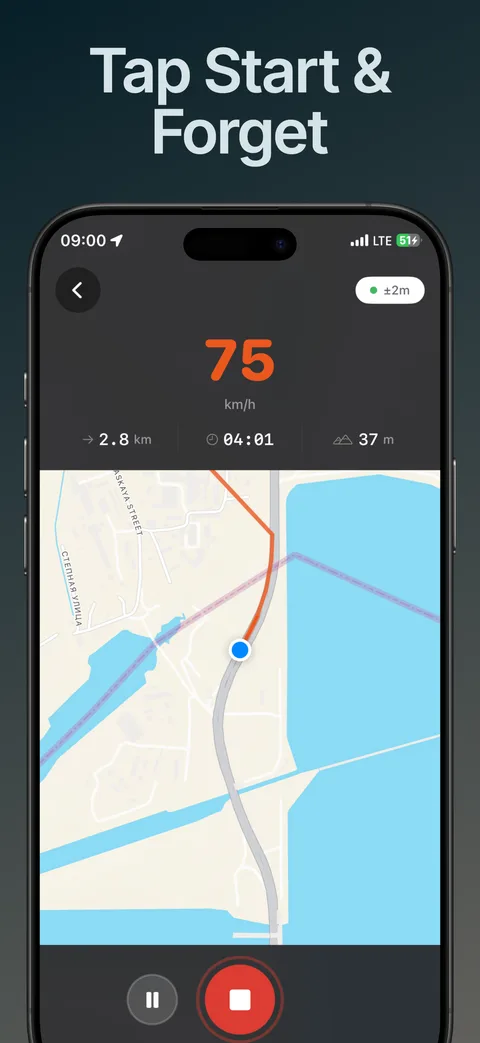
Just drive
It runs on your Lock Screen. Use your navigator — we keep recording.
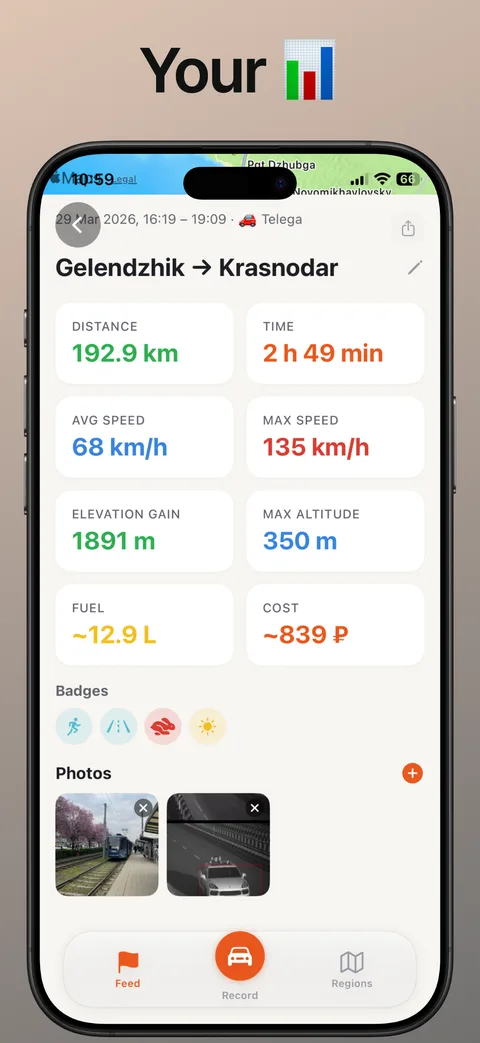
Look back
Route, photos, stats — every drive becomes a memory you can revisit.
The map starts dark
Everywhere you have not driven lies under fog. Every recorded trip burns a corridor through it, and what is left is an atlas of the roads you actually know — not a list of places you meant to visit one day.
The figure under the map is the length of what is open, not the sum of your trips. The hundredth lap around your own block opens nothing, and the map is honest about that.
Places, and the journeys between them
Mark a point on a route and TripTrack starts recognising it. Return visits help you see how long the drive usually takes and which routes bring you there.
Four trips over one long weekend are four rows in a database and one story in life. A journey is a window of dates over your own trips — the days, the kilometres and the regions counted once, in one place.
Your drives, on a bigger map
Sign in with the same Apple Account as on your iPhone. Search your synced history, filter by date and open a route on your computer.
Viewing is free. Use the same Apple Account as on your iPhone; only synced trips appear here.
On your iPhone, with sync when you want it
Record and keep your drives on your iPhone without an account. Sign in with Apple and enable sync to back up your library and view it on this website.
- On the device by default
- Account optional — Sign in with Apple, nothing else
- No advertising and no sale of your trip data
A driver’s review
“Love this app. I enjoy trying different trackers. This one caught my interest, and I’m following its progress.”
TripTrack PRO — coming with 0.8.4
The next iPhone release adds an optional subscription for profile backgrounds, avatar frames and manually added trips. Version 0.8.4 is in Apple review. Recording, your diary, photos, statistics and the atlas stay free.
Questions people actually ask
Is TripTrack free?
Recording, the diary, photos, statistics and the atlas are free. Version 0.8.4, currently in Apple review, adds optional TripTrack PRO for personalisation and manual trips.
Does it record on its own?
It can. Pair it with the car stereo once: recording starts when the stereo comes on and offers to finish when it goes off. Or press start yourself — while a trip is paused the app never decides on its own that it is over.
Will it drain my battery?
GPS recording uses battery. Consumption depends on the phone, trip length and whether the screen and navigation are on. You can lock the screen and keep recording in the background.
Do I need an account?
You can record trips without an account. Sign in with Apple for cloud sync, social features and your own synced trips on this website. Use the same Apple Account on the iPhone and the web.
Is this a Google Timeline alternative?
TripTrack is an alternative for recording car journeys. Google Timeline still works on mobile, but no longer has a web view. TripTrack offers a drive diary on iPhone and a browser map for synced trips; it cannot import Timeline history.
What is the fog of war map?
The Atlas tab covers the world in fog and clears it along the roads you have driven. It is not a game layer laid over the map — it is the map, and the number under it is the length of what you have opened.
Is there an Android version?
Not yet, and there is no date. TripTrack is written for iPhone in Apple's own frameworks by one developer; an Android version would be a second app rather than a port.
Your roads. Your story.

iOS 17+ • Free • No account • Privacy-first